How to install the App on iOS devices

The following steps do not work in an app browser, e.g. within the Facebook or Instagram app - if you have opened our website or app in it, please carry out the following steps in the Safari browser.

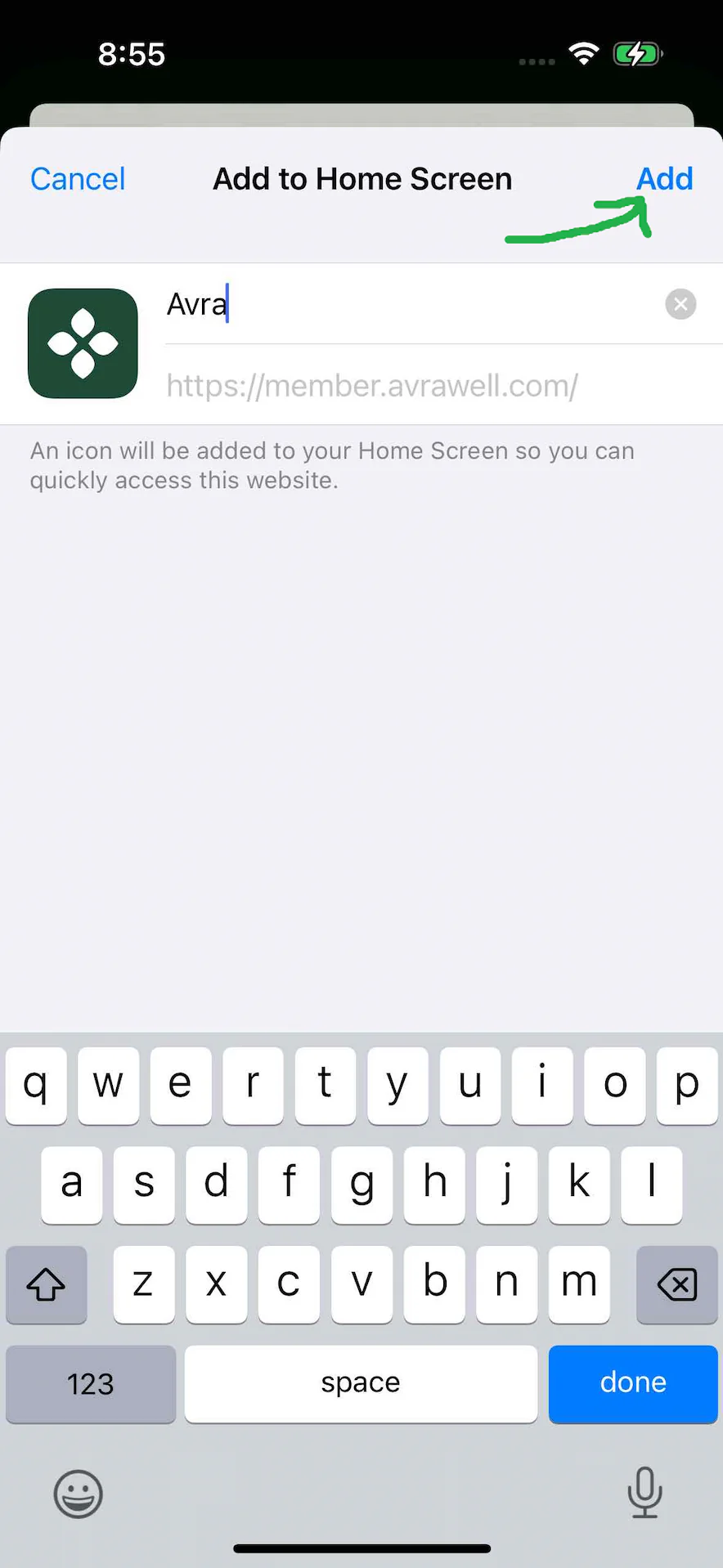
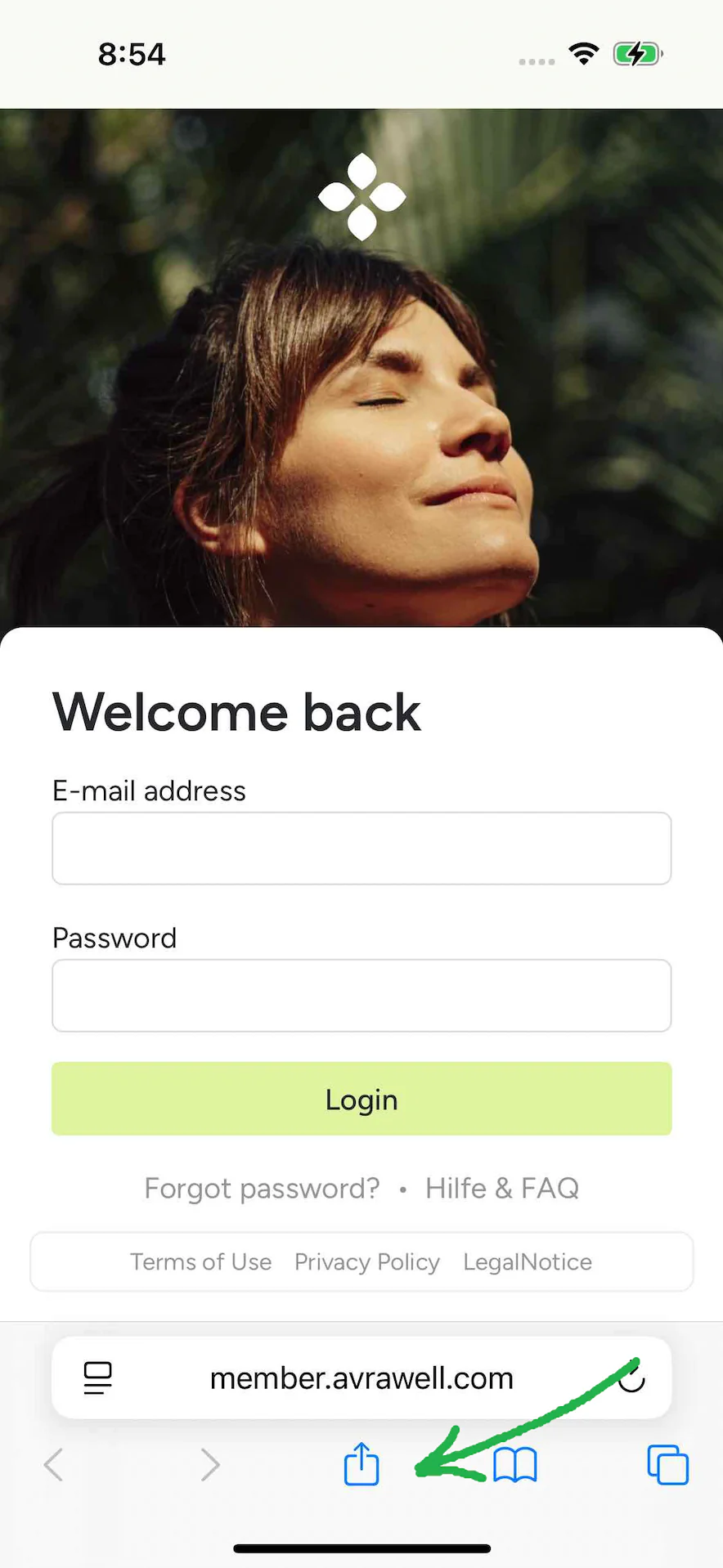
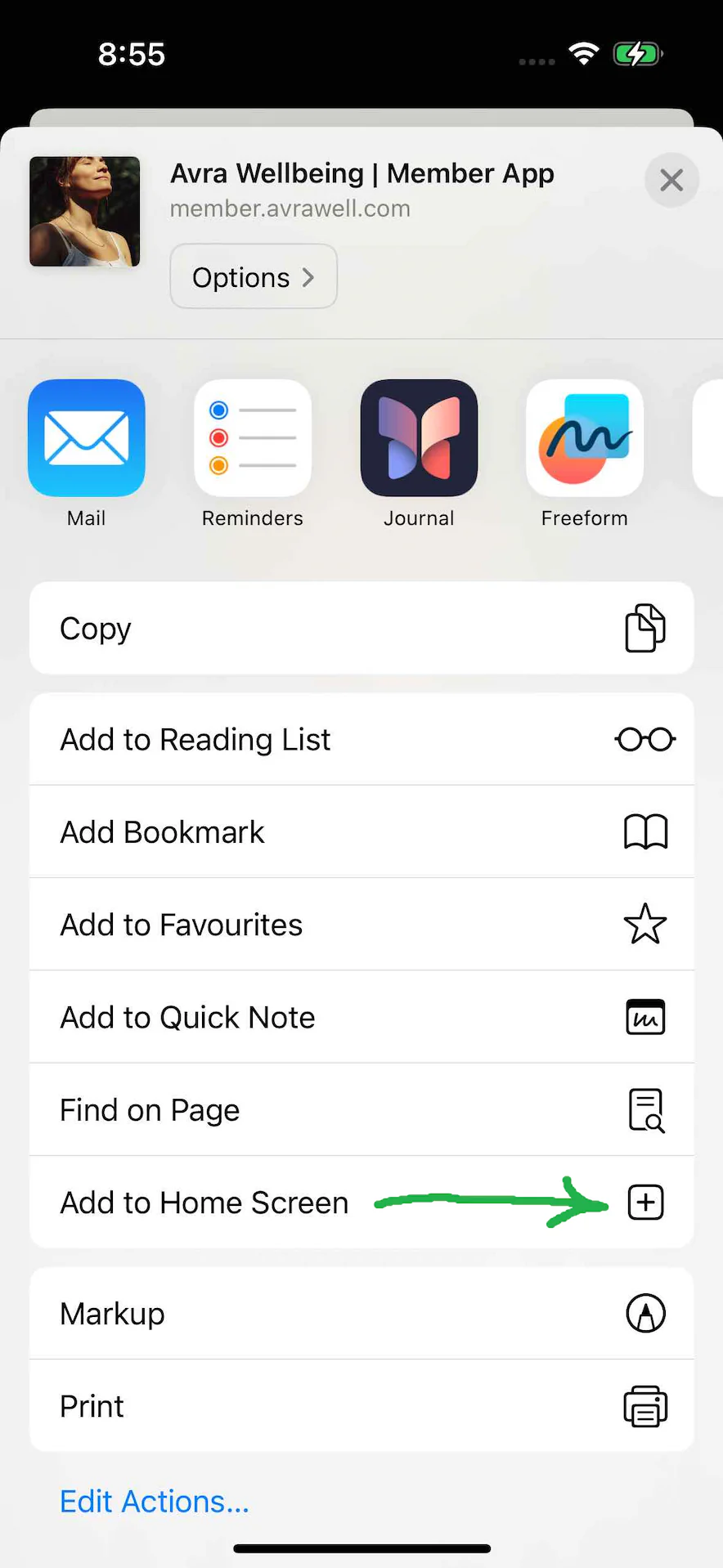
Our Avra Wellbeing app can be installed on all current iOS devices. First open https://member.avrawell.com with Safari, click on the “Share” icon at the bottom center, then on “Add to Home Screen”, relatively far down in the list.

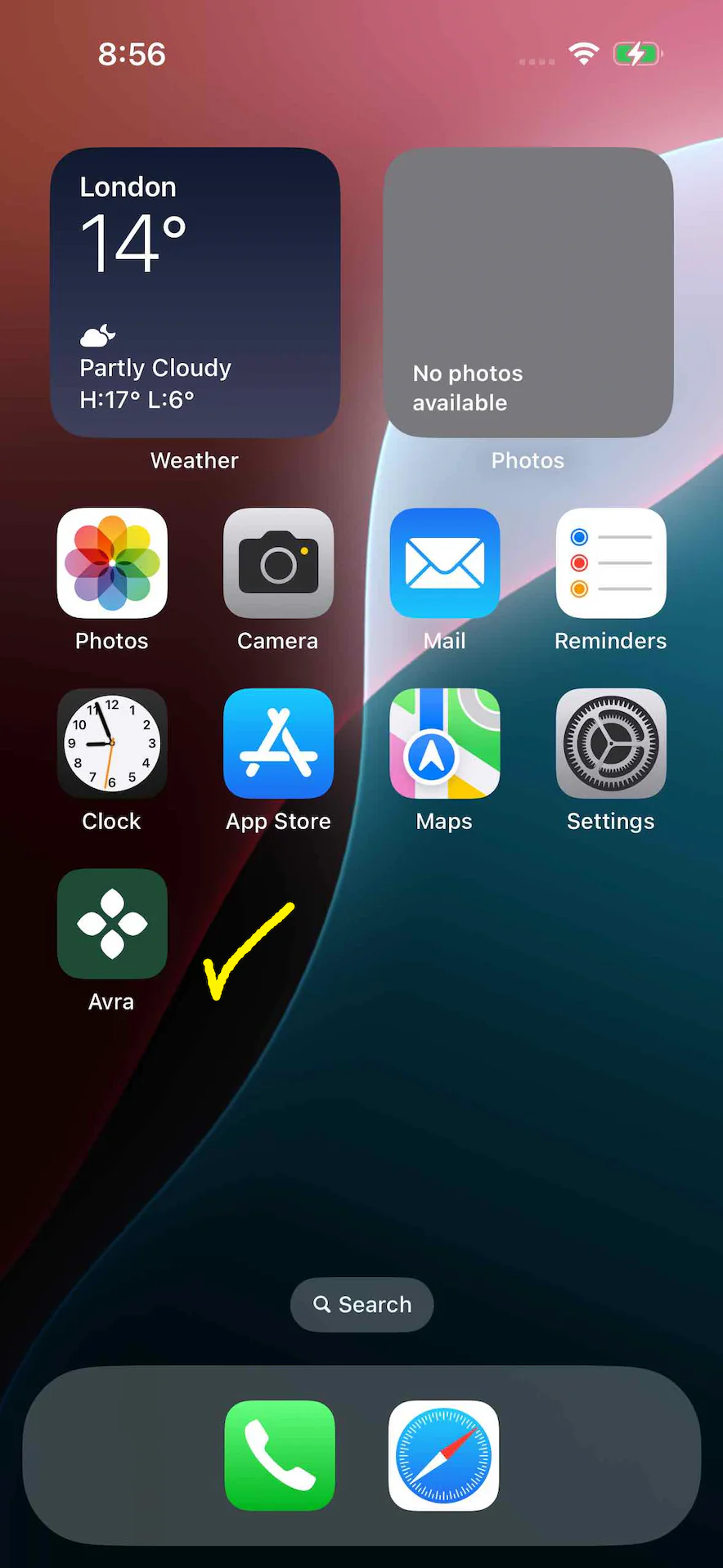
After a brief confirmation, the app can be used from your home screen like a normal app store app.
ImageImageImageImage

© 2020-2025 B.K.L. PUBLISHING LTD.
Avra Wellbeing is a registered trademark.

Note: Our website and online program are for your information only and in no way replace a personal consultation, examination or diagnosis by a doctor. For more information on health requirements for participation in our online programs, please see our Terms of Use. Every person has unique circumstances. Therefore, the results of our programs can and will vary from person to person.

All online programs offered are self-study courses and do not include individual coaching/consulting or assessment of learning success.